Attack surface monitoring
What it is and why use it
Surface Monitor (ASM) discovers and tracks external assets related to your domains — hosts, ports, and drift over time — so unexpected exposure is visible before attackers find it.
Before you start
- Plan: Pro or higher (
planNav: ASM requires Pro). - Admin or member with ASM permissions.
- Seeds such as primary domain or IP ranges allowed by your org policy.
Step by step
- Open Surface Monitor (
/asm).
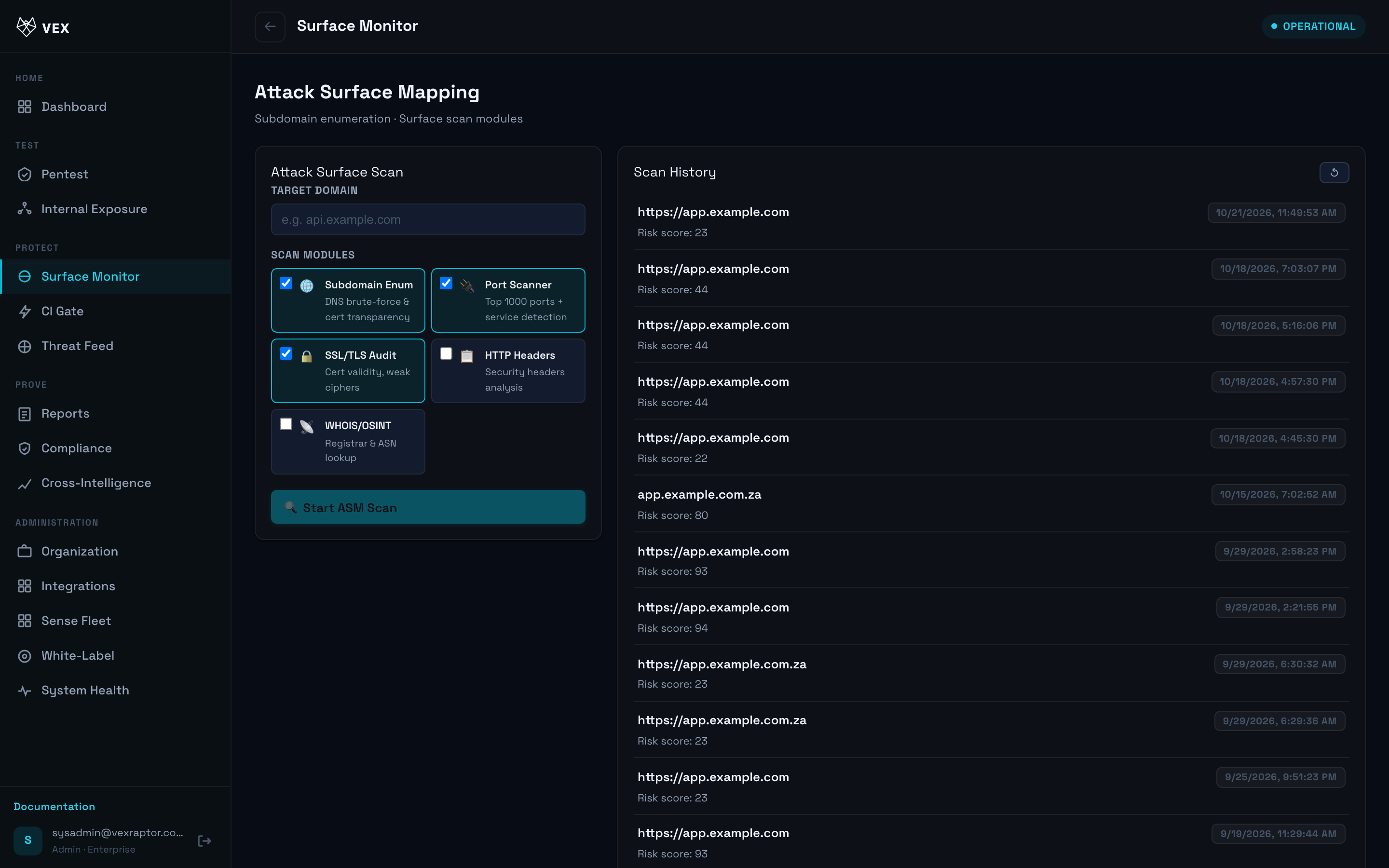
- Start or refresh an ASM scan for an authorized domain.
-
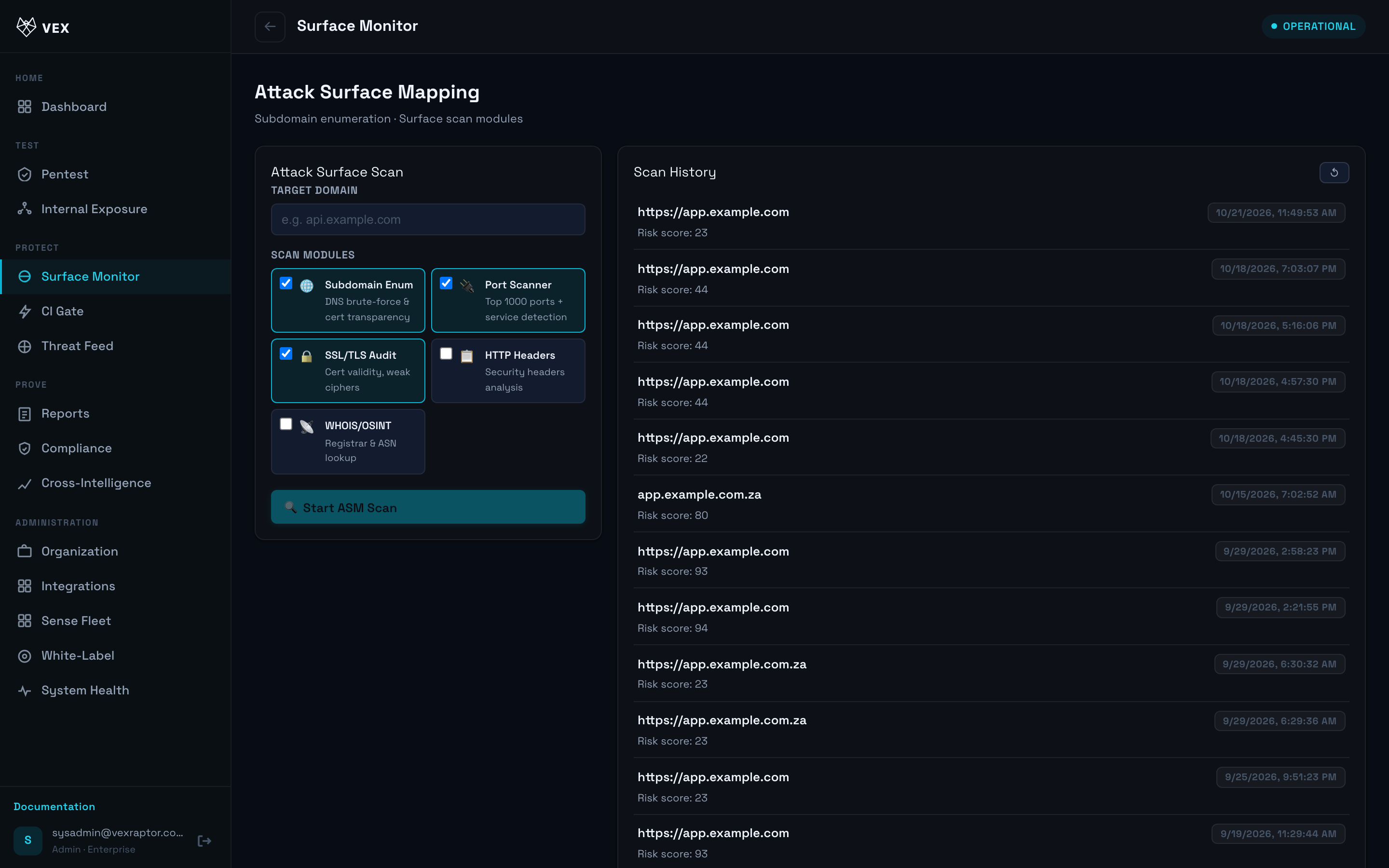
Review discovered hosts, ports, and technology fingerprints.
-
Compare historical runs for drift (new ports or services).
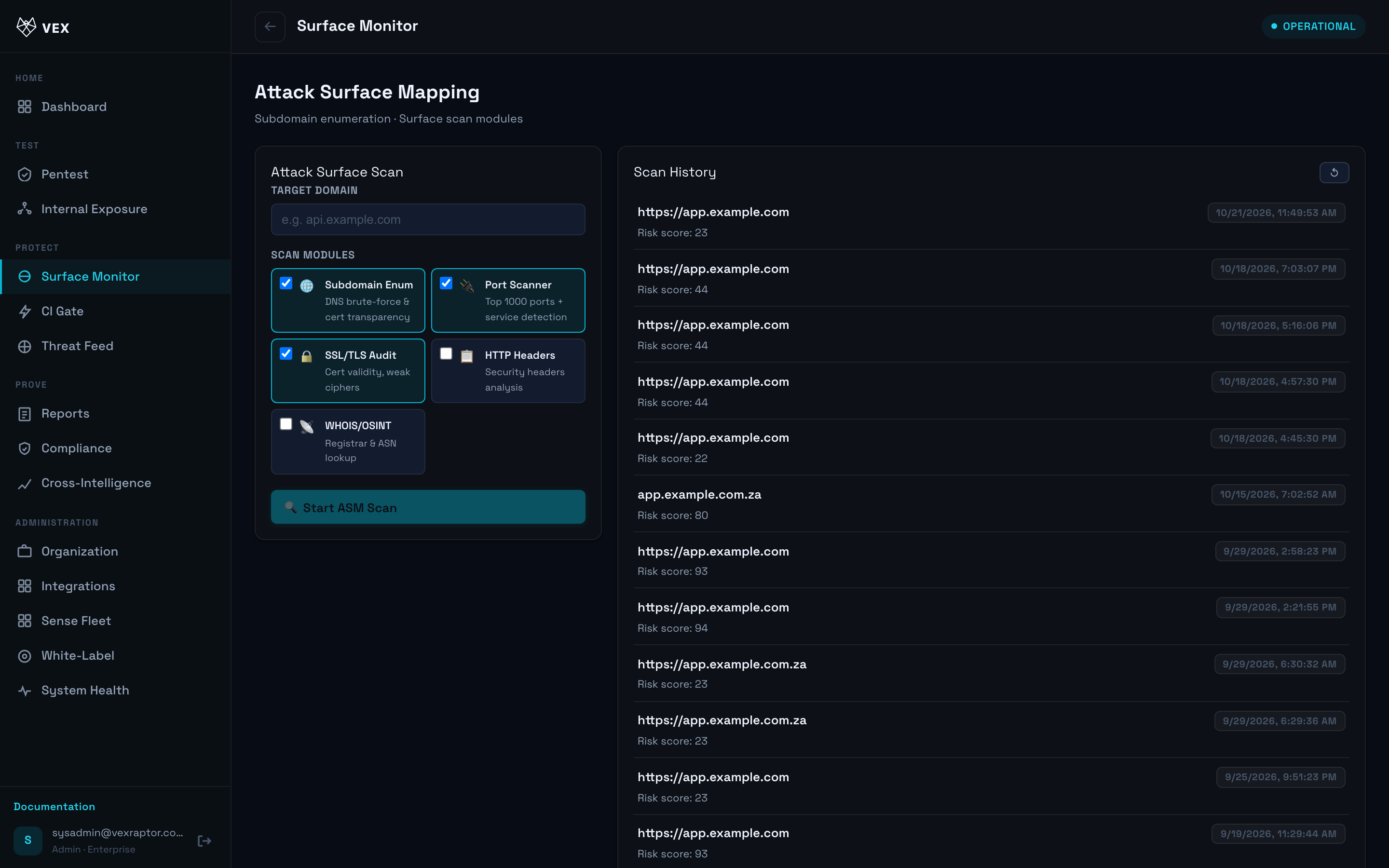
- Export ASM reports when available (PDF endpoints under
/api/v1/asm).
What you will see
Asset inventory tables, severity on risky exposures, and links into pentest targets.
Common problems
- Menu hidden — upgrade to Pro or ask admin.
- Scan blocked — domain not verified or outside allowed targets.
Next steps
- Run scans on high-risk assets
- Threat intelligence