Compliance
What it is and why use it
The Compliance view maps your findings to common control frameworks (SOC 2, PCI, ISO 27001, GDPR-oriented mappings) so you can report posture to auditors and stakeholders.
Before you start
- Plan: Free and above.
- At least one completed scan with findings.
Step by step
- Open Compliance (
/compliance).
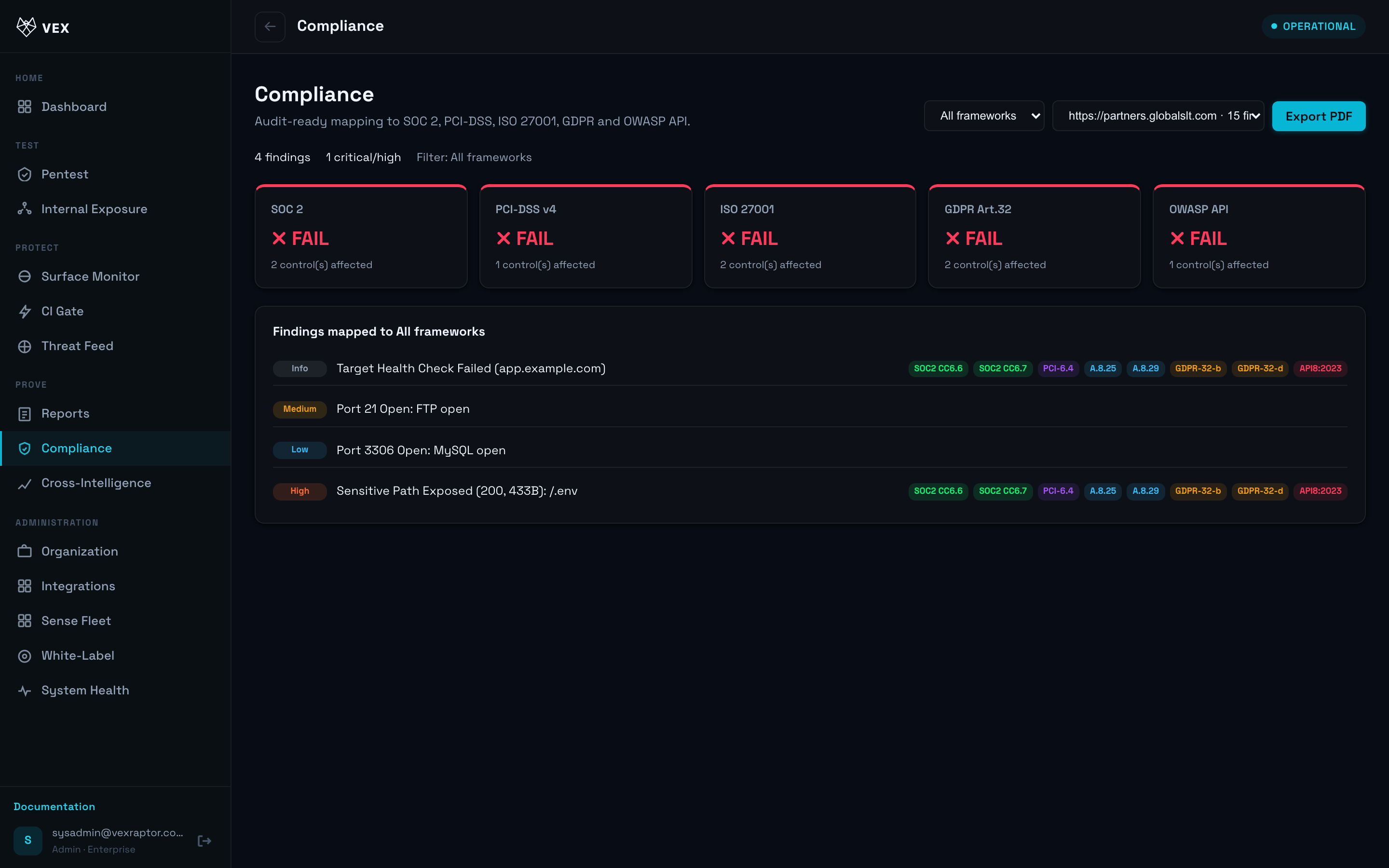
-
Choose a framework tab or filter.
-
Drill into a control family to see linked findings and gaps.
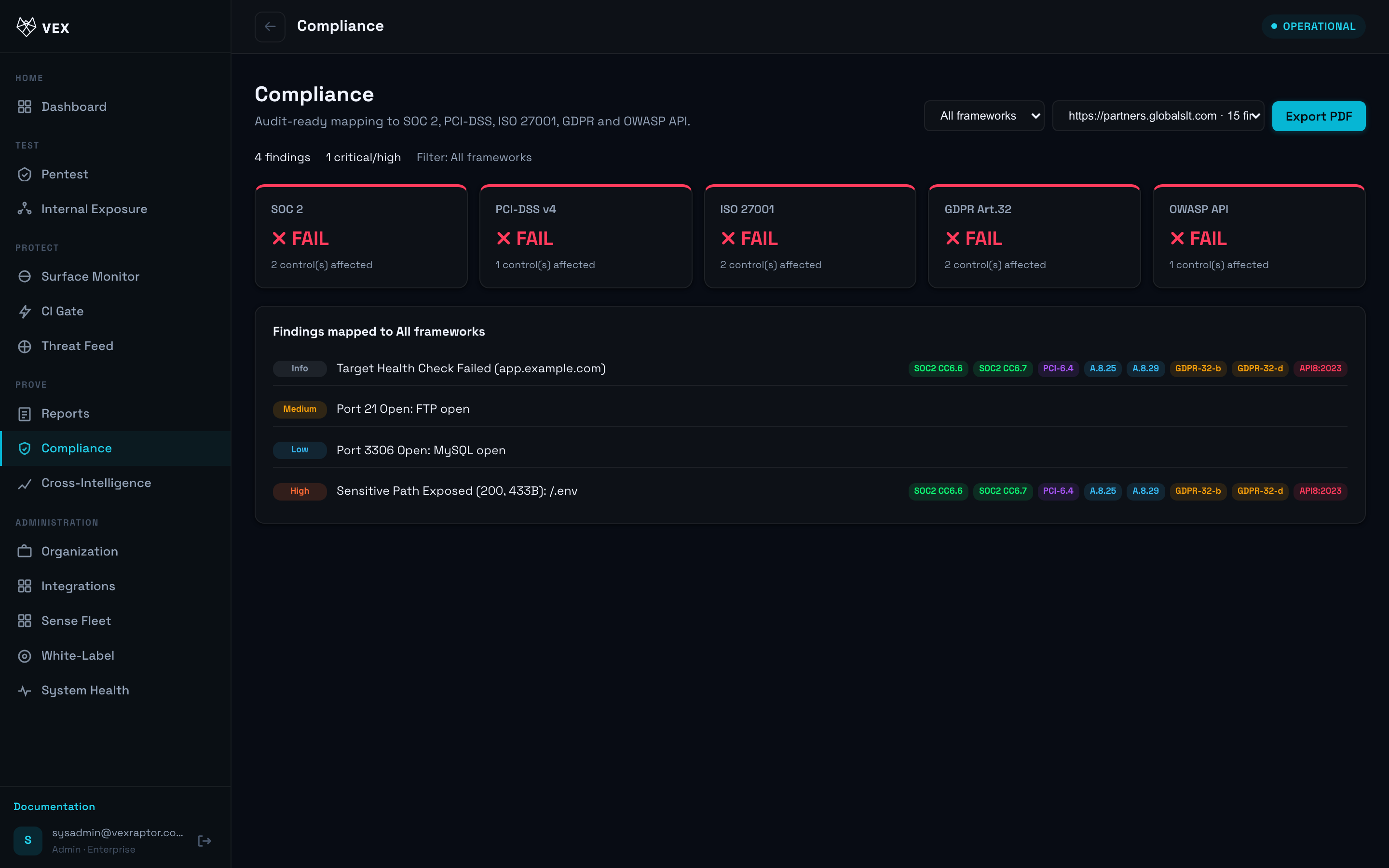
- Export or share the posture summary with your GRC process (PDF export may also be available under Reports depending on your workflow).
What you will see
Counts of violations or gaps per control, tied back to individual findings. Mapping is assistive — validate against your auditor's interpretation.
Common problems
- No data — run scans first; compliance derives from stored findings.
- Counts differ from raw findings — deduplication and filters match the reports pipeline.