CI Gate (Triggers)
What it is and why use it
The CI Gate UI (/triggers) configures pass/fail rules and webhooks so pipelines
can block releases when critical findings appear. For pipeline YAML examples, see
Set up the CI Gate — this page covers the console.
Before you start
- Plan: Pro or higher.
- Admin role to create rules and API keys.
- An organization API key for
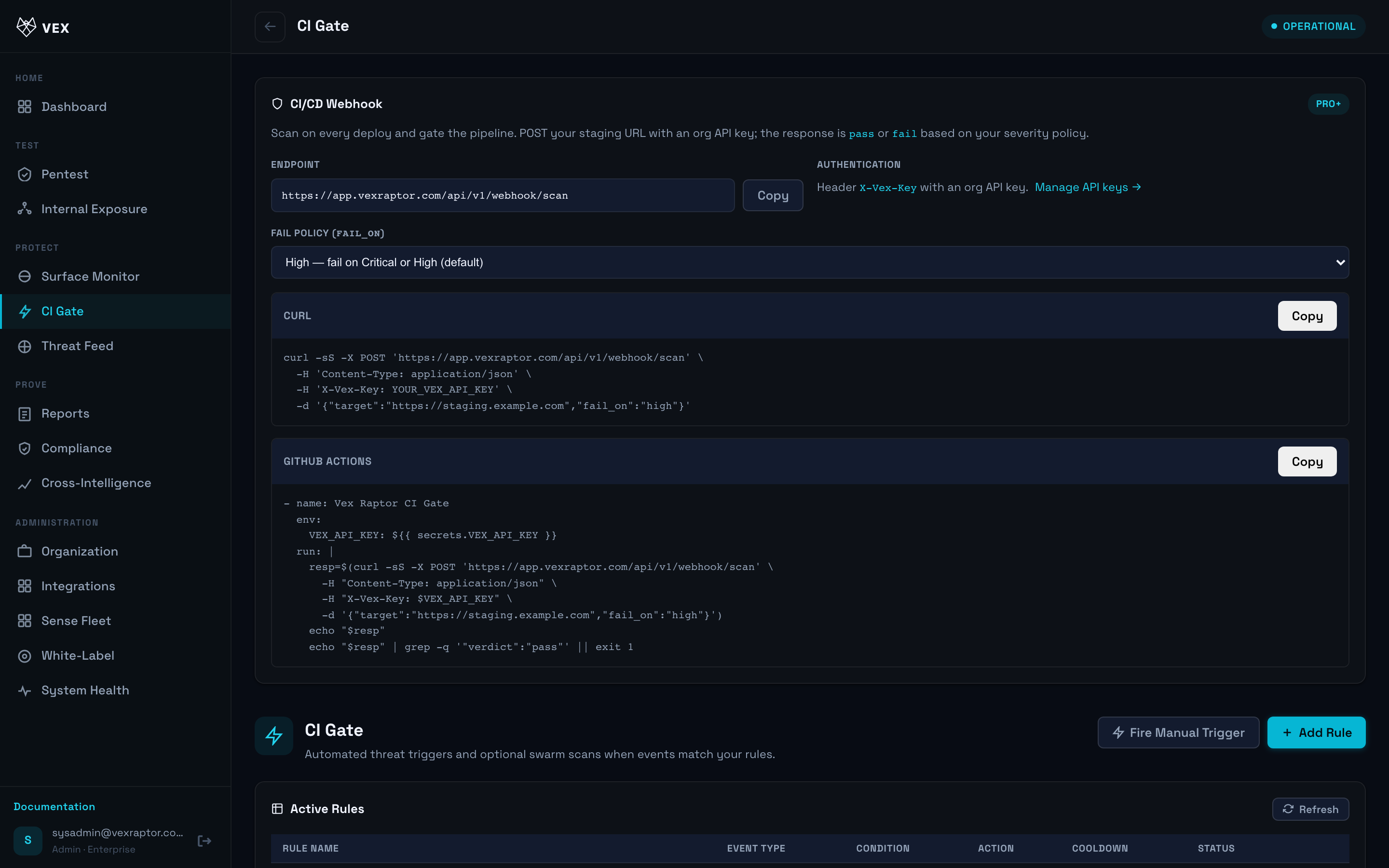
POST /api/v1/webhook/scanwith headerX-Vex-Key.
Step by step
- Open CI Gate (
/triggers).
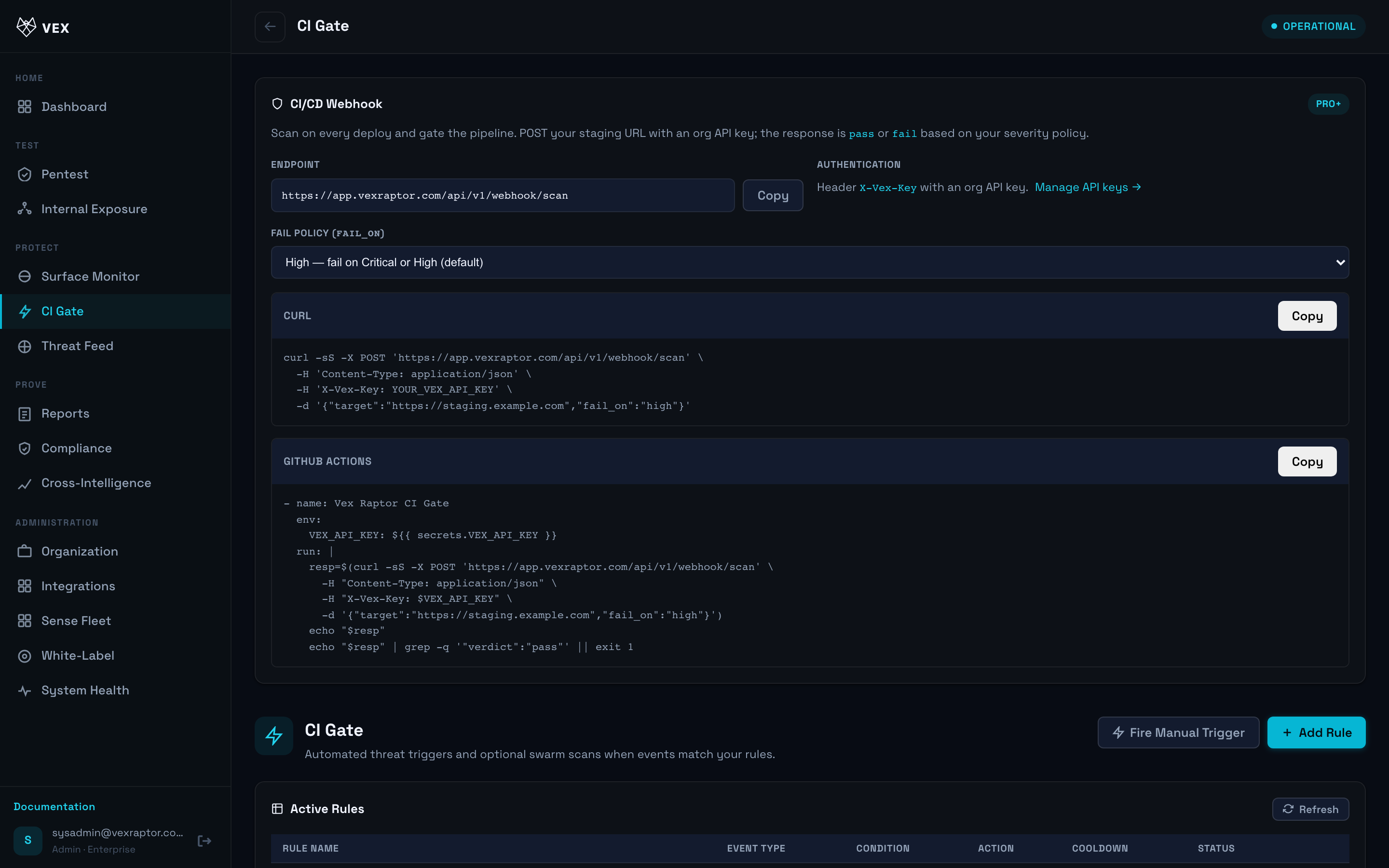
- Create a rule: target pattern, severity threshold (
fail_on), cooldown, and notification hooks if offered.
-
Copy the webhook URL and store an API key from Organization (never commit keys).
-
Trigger a test webhook from your CI or curl (see Webhooks).
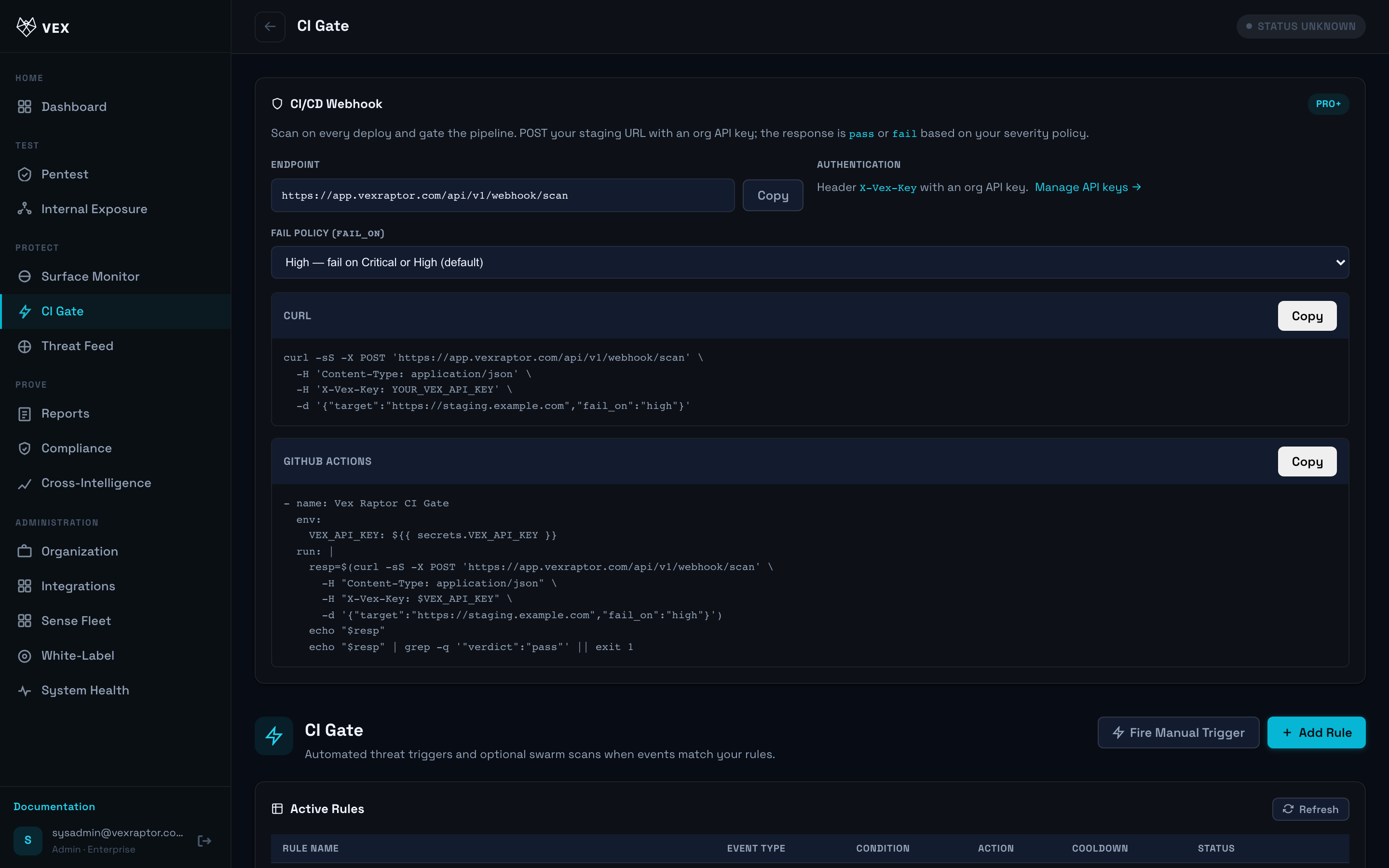
- Review audit entries when scans fail the gate.
What you will see
Rules list, last trigger status, and links to failed scan reports.
Common problems
- 401/403 on webhook — wrong or revoked API key.
- Always pass —
fail_onset toneveror no matching findings.